27
Dynamic IP vs Static IP: What's the Difference and Which One Do You Need?
Learn the difference between Dynamic IP and Static IP addresses, their advantages, disadvantages, use cases, and how to choose the right option for your internet connection.
Introduction
Every device connected to the internet needs an IP address to communicate with other devices and online services. However, not all IP addresses work the same way. Some change automatically over time, while others remain the same unless you manually update them.
This is where the difference between a Dynamic IP and a Static IP becomes important.
Most home internet users have a dynamic IP address without even realizing it. Businesses, web servers, and remote workers often choose a static IP because it offers a consistent connection. Understanding the differences can help you make better decisions when setting up your home network, hosting services, gaming online, or accessing devices remotely.
In this guide, you'll learn how dynamic and static IP addresses work, their advantages and disadvantages, and which option is the right choice for your needs.
What Is a Dynamic IP Address?
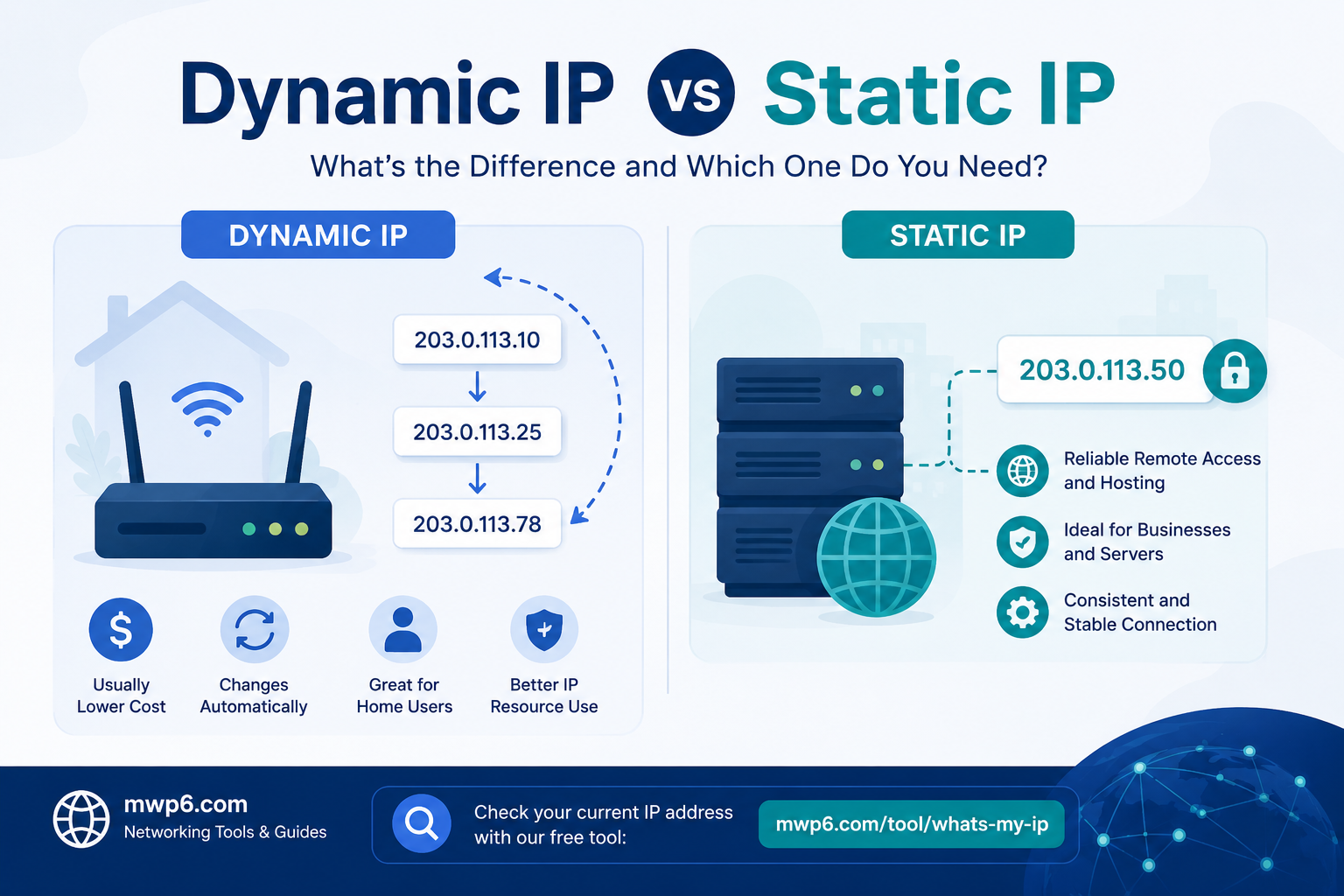
A dynamic IP address is an IP address that is assigned automatically by your Internet Service Provider (ISP). Instead of permanently assigning the same address to your connection, the ISP temporarily leases one from a pool of available IP addresses.
Your public IP may change:
- When your router reconnects to the internet
- After restarting your modem
- When your ISP renews the IP lease
- Occasionally due to network maintenance
Most residential internet connections around the world use dynamic IP addresses because they are easier for ISPs to manage and require fewer IP resources.
For everyday activities like browsing websites, streaming videos, online shopping, and social media, a dynamic IP works perfectly.
What Is a Static IP Address?
A static IP address is a permanent IP address assigned to your internet connection or device. Unlike a dynamic IP, it remains the same until you or your ISP changes it.
Static IP addresses are commonly used for:
- Hosting websites
- Email servers
- Remote desktop access
- VPN servers
- Security camera systems
- Business networks
Since the address never changes, it's easier for other devices and services to locate your network whenever they need to connect.
Dynamic IP vs Static IP: Key Differences
FeatureDynamic IPStatic IPChanges over time | Yes | No
Assigned automatically | Yes | Usually configured manually or by ISP
Cost | Usually included with internet service | Often requires an additional fee
Best for | Home users | Businesses and servers
Remote access | Less reliable | Highly reliable
Website hosting | Not recommended | Recommended
Maintenance | Minimal | Slightly more management
Advantages of a Dynamic IP Address
Dynamic IP addresses are the default choice for most internet users because they offer several benefits.
Lower Cost
Most internet providers include a dynamic IP at no additional charge.
Easy to Manage
Your ISP handles all IP assignment automatically, so you don't need to configure anything yourself.
Better IP Resource Management
ISPs can efficiently reuse IP addresses among customers, helping conserve the limited IPv4 address space.
Added Privacy
Because your public IP changes occasionally, it can make long-term tracking slightly more difficult compared to using the same IP address continuously.
Advantages of a Static IP Address
Although static IPs usually cost more, they provide important advantages for certain situations.
Reliable Remote Access
If you regularly connect to your home or office computer from another location, a static IP ensures the address is always the same.
Ideal for Hosting Services
Websites, FTP servers, VPNs, and mail servers depend on a stable address so users can always connect.
Easier DNS Configuration
Static IPs simplify DNS records because the destination address remains constant.
Better for Business Networks
Many business applications rely on predictable IP addresses for security rules, firewalls, and remote connections.
When Should You Use a Dynamic IP?
A dynamic IP is the best choice if you:
- Browse the web normally
- Watch streaming services
- Play online games
- Use social media
- Shop online
- Work from home without hosting servers
For the majority of internet users, there is little benefit in paying extra for a static IP.
When Should You Use a Static IP?
A static IP is worth considering if you:
- Host your own website
- Run a VPN server
- Need reliable Remote Desktop access
- Manage security cameras remotely
- Operate business servers
- Use custom networking applications
In these cases, having a permanent address makes connections more reliable and easier to configure.
Can You Change a Dynamic IP to a Static IP?
Yes.
Many internet providers offer static IP addresses as an optional service. If you need one, contact your ISP to check availability and pricing.
Another option is using Dynamic DNS (DDNS). DDNS automatically updates your domain name whenever your dynamic IP changes, providing many of the benefits of a static IP without requiring a permanent address.
Does a Static IP Make Your Internet Faster?
No.
Your IP type does not directly affect your internet speed.
Download speed, upload speed, and latency depend on factors such as:
- Your internet plan
- Network congestion
- Router quality
- Wi-Fi signal strength
- Distance from servers
A static IP simply provides a consistent address. It does not increase bandwidth or improve connection speed.
Is a Static IP More Secure?
Not necessarily.
A static IP is easier to locate because it never changes, but that alone does not make it insecure.
Security depends on proper network protection, including:
- Strong passwords
- Firewalls
- Software updates
- VPNs
- Secure router settings
Whether you use a dynamic or static IP, following good security practices is far more important.
How to Check Whether Your IP Changes
The easiest way to determine whether your public IP changes is to check it periodically over several days.
If the address changes after restarting your router or after some time, you likely have a dynamic IP.
You can instantly view your current public IPv4 or IPv6 address using our free What Is My IP tool:
https://mwp6.com/tool/whats-my-ip
It also helps verify whether your VPN is changing your public IP as expected.
Frequently Asked Questions
Is a dynamic IP better than a static IP?
Neither is universally better. Dynamic IPs are ideal for most home users, while static IPs are better for hosting services and remote access.
Can I request a static IP from my ISP?
Yes. Many internet providers offer static IP addresses for an additional monthly fee.
Do gamers need a static IP?
Usually not. Most online games work perfectly with dynamic IP addresses.
Does restarting my router change my IP?
Sometimes. Many ISPs assign a new dynamic IP after the connection is renewed, although this is not guaranteed.
Can I host a website with a dynamic IP?
Yes, but it is less reliable. Most website owners use either a static IP or cloud hosting instead.
Is IPv6 always static?
No. IPv6 addresses can be either dynamic or static depending on how the network is configured.
How can I see my current public IP?
The fastest way is to use an online IP lookup tool that displays your current public IPv4 and IPv6 addresses instantly.
Conclusion
Choosing between a dynamic IP and a static IP depends entirely on how you use the internet. For everyday browsing, streaming, gaming, and remote work, a dynamic IP is usually the simplest and most cost-effective option. If you host services, need dependable remote access, or manage business infrastructure, a static IP offers the consistency those tasks require.
If you're unsure which type of public IP you're currently using, start by checking your address with our free What Is My IP tool. It's a quick way to view your public IPv4 and IPv6 addresses, verify your VPN connection, and better understand how your internet connection is configured.
Contact
Missing something?
Feel free to request missing tools or give some feedback using our contact form.
Contact Us