27
Public IP vs Private IP: What's the Difference?
Learn the difference between public and private IP addresses, how they work together, why both are necessary, and how to check your current public IP address instantly.
Introduction
If you've ever configured a router, connected to a remote server, or searched for "What Is My IP Address?", you've probably come across the terms public IP and private IP. While they may sound similar, they serve completely different purposes.
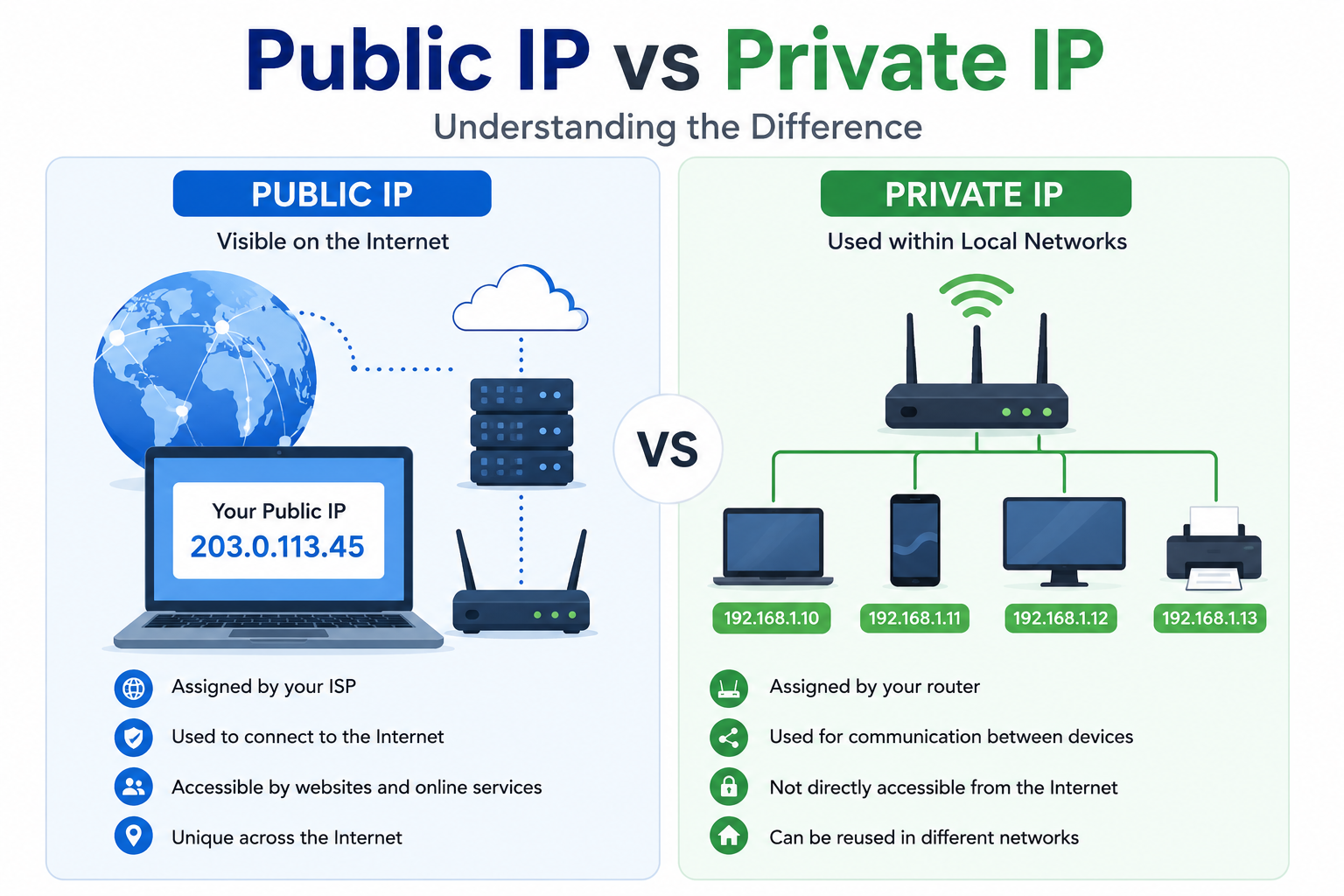
A public IP address identifies your network on the internet, while a private IP address identifies devices inside your local network, such as your home or office. Understanding the difference is essential for troubleshooting network issues, setting up remote access, configuring routers, and improving network security.
If you want to instantly see your current public IP address, use our free What Is My IP Address tool:
https://mwp6.com/tool/whats-my-ip
What Is a Public IP Address?
A public IP address is assigned by your Internet Service Provider (ISP) and is visible on the internet.
It is the address websites, online services, and remote servers use to communicate with your network.
Whenever you browse a website, watch a video, or connect to an online game, your public IP address is used to send and receive data.
Examples of public IP addresses include:
203.0.113.45
8.8.8.8
1.1.1.1
Every internet connection typically has one public IP address, although larger organizations may have multiple public IPs.
What Is a Private IP Address?
A private IP address is used only inside your local network.
Your router assigns private IP addresses to devices such as:
- Computers
- Smartphones
- Tablets
- Smart TVs
- Printers
- Security cameras
These addresses allow devices to communicate with each other without being directly accessible from the internet.
Common private IP ranges include:
192.168.0.0 – 192.168.255.255
10.0.0.0 – 10.255.255.255
172.16.0.0 – 172.31.255.255
For example:
192.168.1.15
This address works only within your local network.
Public IP vs Private IP
Public IPPrivate IPVisible on the internet | Used only inside a local network
Assigned by your ISP | Assigned by your router
Usually one per internet connection | Every device gets its own
Used for websites and online services | Used for communication between local devices
Can be accessed remotely (if allowed) | Cannot be accessed directly from the internet
Why Do We Need Both?
Imagine your home network has:
- Two laptops
- Three smartphones
- A smart TV
- A printer
- A gaming console
Instead of giving every device its own public IP address, your router gives each device a private IP address while sharing a single public IP address with the internet.
This approach conserves IPv4 addresses and makes home networks much easier to manage.
What Is NAT?
NAT (Network Address Translation) is the technology that connects private IP addresses to the public internet.
When one of your devices accesses a website:
- The device sends a request using its private IP address.
- Your router replaces the private IP with your public IP.
- The website responds to your public IP.
- The router sends the response back to the correct device.
This process is automatic and happens within milliseconds.
How Can I Check My Public IP?
Your private IP can usually be found in your device's network settings.
Your public IP, however, is much easier to check using an online tool.
Our free What Is My IP Address tool instantly displays:
- Public IPv4 or IPv6 address
- ISP
- ASN
- Approximate location
- Timezone
- Geographic coordinates
- Additional network details
Check your public IP here:
https://mwp6.com/tool/whats-my-ip
Which One Is More Secure?
A private IP address is generally more secure because it cannot be accessed directly from the internet.
A public IP address is exposed to the internet, which is why routers and firewalls are used to protect devices on your network.
Keeping your router updated and using strong passwords helps improve network security regardless of your IP address type.
Frequently Asked Questions
Can two devices have the same private IP address?
Not within the same local network. Every device must have a unique private IP address. However, different networks can reuse the same private IP ranges without causing conflicts.
Can two homes have the same private IP addresses?
Yes.
Millions of homes use addresses like 192.168.1.100 because private IP addresses are designed to be reused across separate networks.
Can someone find my private IP address?
No.
Private IP addresses are not visible outside your local network unless you intentionally expose them.
Does restarting my router change my public IP?
It depends on your ISP.
Many providers assign dynamic public IP addresses that may change after reconnecting the router, while others provide static IP addresses.
Why do all my devices have different IP addresses?
Each device receives its own private IP address so the router knows where to send incoming and outgoing data.
Conclusion
Public and private IP addresses work together to make modern networking possible. Your public IP connects your network to the internet, while private IP addresses allow your devices to communicate safely within your home or office.
Understanding the difference can help you troubleshoot network issues, configure routers, and improve your overall understanding of how the internet works.
If you want to instantly see your current public IP address and network details, try our free tool:
👉 https://mwp6.com/tool/whats-my-ip
Contact
Missing something?
Feel free to request missing tools or give some feedback using our contact form.
Contact Us