31
SEO Analyzer: Analyze Your Website and Discover Hidden SEO Issues
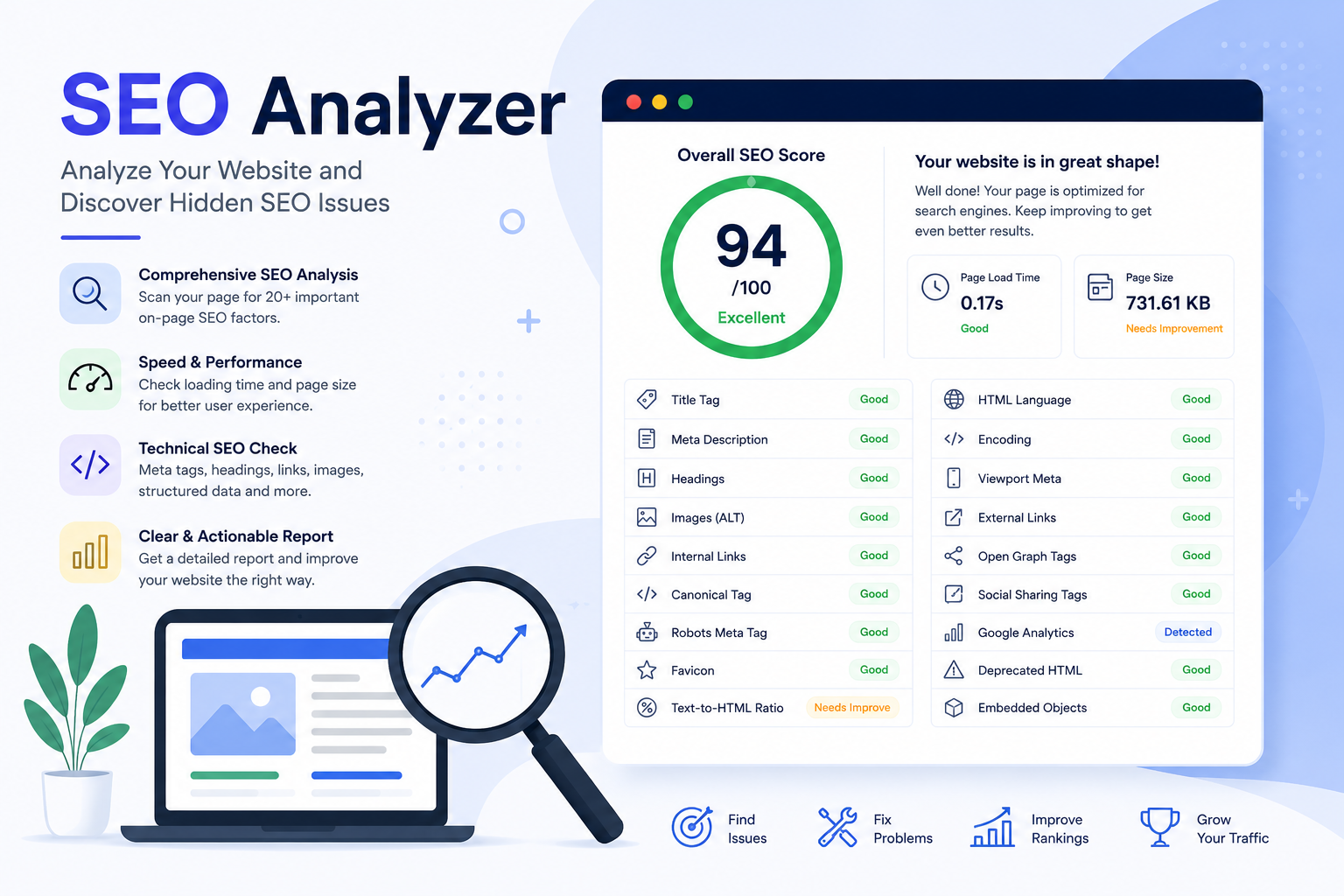
Analyze any webpage for technical SEO issues in seconds. Check page speed, metadata, headings, links, image ALT attributes, canonical tags, structured elements, and many other on-page SEO factors with one comprehensive report.
A website may contain excellent content but still struggle to rank well in search engines because of technical SEO issues. Problems like missing meta tags, slow loading pages, broken heading structures, or missing image alt text can reduce your visibility without being immediately obvious.
The SEO Analyzer helps you identify these issues by scanning any public webpage and generating a detailed technical SEO report within seconds. Instead of manually checking dozens of elements, the tool performs the analysis automatically and presents the results in a clear, organized format.
You can analyze blogs, business websites, eCommerce stores, landing pages, portfolios, documentation sites, or almost any publicly accessible webpage.
Try the tool here:
https://mwp6.com/tool/seo-analyzer
What Does the SEO Analyzer Check?
The analyzer reviews many important on-page SEO factors, including:
- Overall SEO score
- Page loading time
- Total page size
- HTML language declaration
- Character encoding
- Title tag
- Meta description
- Heading hierarchy (H1–H6)
- Image ALT attributes
- Internal and external links
- Canonical tag
- Robots meta tag
- Open Graph tags
- Social sharing metadata
- Viewport configuration
- Embedded objects
- Deprecated HTML elements
- Google Analytics detection
- Favicon availability
- Text-to-HTML ratio
Each result helps you understand how well your page follows SEO best practices and highlights areas that need improvement.
Why Technical SEO Matters
Search engines evaluate much more than keywords.
A technically optimized page is easier to crawl, understand, and index. It also provides a better experience for visitors.
Regular technical audits help you:
- Find missing SEO elements before they affect rankings.
- Detect issues introduced after website updates.
- Improve page quality and usability.
- Maintain consistent SEO standards across your site.
- Prioritize improvements based on measurable results.
Who Can Benefit From This Tool?
The SEO Analyzer is useful for:
- Website owners
- Bloggers
- Developers
- SEO specialists
- Digital marketers
- Agency teams
- Freelancers
- Small business owners
Whether you're launching a new website or maintaining an existing one, running periodic SEO audits can help you catch problems early.
How to Use the Tool
Using the analyzer is simple:
- Enter the URL of the page you want to analyze.
- Start the scan.
- Wait a few seconds while the page is analyzed.
- Review the detailed report.
- Fix the reported issues and analyze the page again to verify your improvements.
Improve Your Website Continuously
SEO is an ongoing process rather than a one-time task. Every content update, design change, or plugin installation can affect your website's optimization.
Running regular SEO audits allows you to monitor your site's health, discover technical problems quickly, and make informed improvements that contribute to better search visibility over time.
If you want a fast and comprehensive overview of your webpage's technical SEO, try the SEO Analyzer here:
https://mwp6.com/tool/seo-analyzer
Contact
Missing something?
Feel free to request missing tools or give some feedback using our contact form.
Contact Us