13
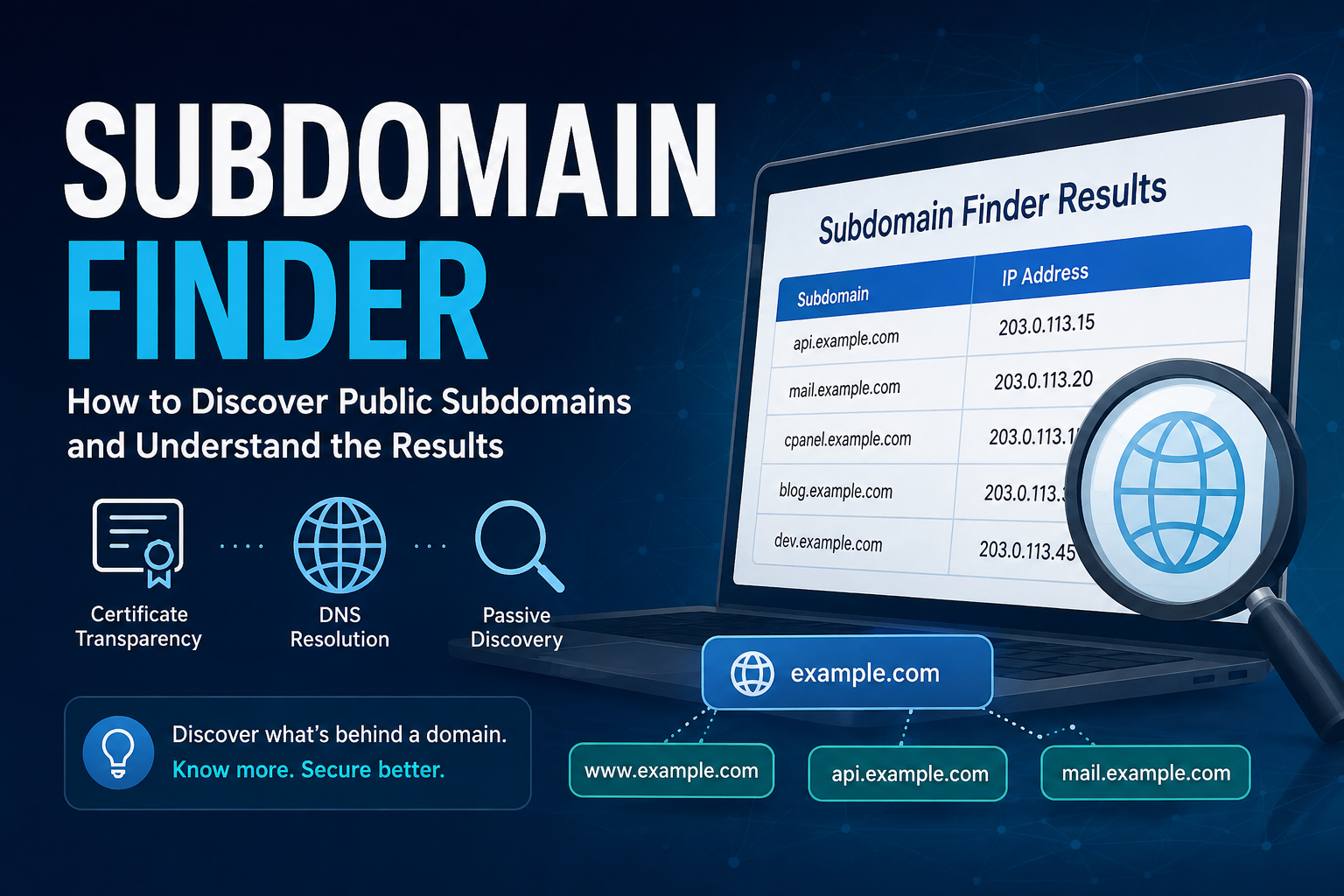
Subdomain Finder: How to Discover Public Subdomains and Understand the Results
Discover publicly available subdomains for any domain using Certificate Transparency logs and DNS data. View resolved IP addresses and export results as CSV.
A domain name is often connected to much more than a single website. Companies, developers, and online services frequently use subdomains to separate different parts of their infrastructure.
A domain such as:
example.com
could have several publicly accessible subdomains:
www.example.com
mail.example.com
api.example.com
blog.example.com
cpanel.example.com
Some may host websites, while others may be used for email, APIs, hosting control panels, documentation, or other services.
Finding these subdomains can help you understand the public footprint of a domain without manually guessing possible hostnames.
This guide explains what subdomains are, how public subdomain discovery works, how Certificate Transparency and DNS data contribute to the process, and how to interpret the results returned by a Subdomain Finder.
What Is a Subdomain?
A subdomain is a hostname that exists under a primary domain.
For example:
example.com
is the root domain, while:
blog.example.com
is a subdomain.
Website owners use subdomains for many purposes.
Common examples include:
www.example.com
shop.example.com
blog.example.com
support.example.com
docs.example.com
api.example.com
mail.example.com
Each subdomain can serve a different function and can even point to a completely different server.
For example:
blog.example.com → 203.0.113.10
api.example.com  → 203.0.113.25
This allows organizations to organize multiple services while keeping them under the same primary domain.
How Does Subdomain Discovery Work?
There is no universal public directory containing every subdomain on the internet.
Instead, subdomains can be discovered from different sources of publicly available information.
One particularly valuable source is Certificate Transparency logs.
When SSL/TLS certificates are issued for domains and subdomains, information about those certificates can appear in public Certificate Transparency records.
For example, certificates might contain:
example.com
www.example.com
api.example.com
mail.example.com
These records can provide clues about subdomains associated with the root domain.
A Subdomain Finder can collect these publicly available hostnames, remove duplicate entries, and then attempt to resolve their DNS records.
The basic process looks like this:
Root Domain
    ↓
Public Data Sources
    ↓
Certificate Transparency Records
    ↓
Discovered Hostnames
    ↓
DNS Resolution
    ↓
Subdomain + IP Address
This approach is generally known as passive subdomain discovery because it relies primarily on information already available through public sources.
Why Certificate Transparency Is Useful
Certificate Transparency was designed to improve visibility into SSL/TLS certificate issuance.
From a domain research perspective, it has another useful property: certificates frequently contain hostnames.
Suppose certificates have previously been issued for:
shop.example.com
api.example.com
dashboard.example.com
Those names may remain discoverable through Certificate Transparency records.
This can reveal services that are not linked from the main website.
However, Certificate Transparency data should not be interpreted as a real-time list of active websites.
A certificate may remain in historical records even after the corresponding service has been removed.
Understanding the Subdomain Finder Results
After entering a domain, the results normally contain two important pieces of information:
Subdomain
IP Address
For example:
Subdomain                 IP Address

api.example.com           203.0.113.15
mail.example.com          203.0.113.20
cpanel.example.com        203.0.113.15
The first column shows the discovered hostname.
The second shows the IP address currently returned when that hostname can be resolved through DNS.
These two values provide different information and should be interpreted separately.
What Does the Subdomain Name Tell You?
Subdomain names often indicate the intended purpose of a service.
For example:
blog.example.com
may contain a blog.
api.example.com
may provide an API.
mail.example.com
may relate to email infrastructure.
Other frequently encountered names include:
docs.
support.
status.
shop.
dev.
staging.
cpanel.
webmail.
These names can provide useful clues, but they are not proof of what actually exists behind the hostname.
A domain administrator can assign almost any name to a service.
What Does the IP Address Tell You?
DNS can translate a hostname into an IP address.
For example:
api.example.com → 203.0.113.15
If an IP address appears in the results, it indicates that the hostname resolved through DNS at the time of the lookup.
It does not necessarily identify the physical server hosting the application.
Modern websites frequently use infrastructure such as:
CDNs
Reverse proxies
Load balancers
Cloud hosting
Shared hosting
As a result, the IP address may represent an infrastructure layer rather than the final application server.
Why Do Several Subdomains Have the Same IP?
One result that sometimes surprises users is seeing several subdomains pointing to exactly the same IP address.
For example:
api.example.com          203.0.113.15
cpanel.example.com       203.0.113.15
webmail.example.com      203.0.113.15
www.example.com          203.0.113.15
This is normal.
A single server can host multiple websites and services.
Web servers can determine which content to return based on the hostname requested by the browser.
Shared hosting environments commonly use this architecture.
Therefore:
Same IP address ≠ Same website
Two hostnames can resolve to the same IP while serving completely different content.
Why Can a Discovered Subdomain Be Unavailable?
A hostname appearing in public records does not guarantee that it currently exists.
Consider:
old-app.example.com
The organization may have used this subdomain several years ago and obtained an SSL certificate for it.
Later, the application was removed and its DNS record deleted.
The certificate information can still remain in Certificate Transparency logs.
This creates an important distinction:
Discovered ≠ Active
Subdomain discovery should therefore be considered a method for finding publicly known hostnames rather than determining which applications are currently operational.
Why Might a Real Subdomain Be Missing?
The opposite situation can also occur.
A domain may have existing subdomains that do not appear in the results.
Passive discovery depends on the public information available to the lookup service.
A hostname that has never appeared in the searched public records may not be discovered.
Private and internal hostnames are particularly unlikely to appear.
For example:
internal.example.com
could exist only within an organization's private network.
A public Subdomain Finder would not necessarily know about it.
For this reason:
No result ≠ No subdomain exists
The results represent publicly discoverable information rather than a guaranteed complete inventory.
How to Use Subdomain Finder
Using the tool requires only a root domain.
1. Enter the Root Domain
Enter:
example.com
rather than a complete page URL such as:
https://www.example.com/page
2. Start the Search
The tool searches available public records for hostnames associated with the domain.
3. Review Discovered Subdomains
The results display the discovered hostnames together with their resolved IP addresses when available.
4. Open a Result When Needed
Individual discovered hostnames can be opened for additional manual investigation.
5. Export the Results
If you need to save or analyze the data, export the results as a CSV file.
You can try the process directly using the Subdomain Finder to discover publicly available subdomains, check their resolved IP addresses, and export the results as CSV.
Using CSV Export for Larger Results
Small domains might return only a few records.
Large organizations can have significantly more.
CSV export makes these datasets easier to manage.
A typical exported file might contain:
Subdomain,IP Address
api.example.com,203.0.113.15
mail.example.com,203.0.113.20
www.example.com,203.0.113.15
You can open the file in Excel, Google Sheets, database tools, or scripts.
This makes it easier to:
- Sort subdomains alphabetically
- Group hostnames by IP address
- Search for specific hostname patterns
- Maintain an asset inventory
- Compare previous and current results
- Add findings to technical reports
Practical Uses for Subdomain Discovery
Subdomain discovery can be useful in several situations.
Website Asset Review
Website owners can check which hostnames associated with their domains are visible through public records.
This may reveal services that are no longer included in internal documentation.
Development Research
Developers can use hostname information to understand how a public platform separates services such as APIs, documentation, dashboards, and web applications.
Infrastructure Inventory
Administrators can compare publicly discoverable hostnames against their existing infrastructure records.
Unexpected results can then be reviewed internally.
Security Assessments
Passive subdomain discovery is commonly used during authorized security assessments to understand the publicly visible attack surface before performing deeper analysis.
Troubleshooting
DNS resolution information can also help when investigating hostname configuration or checking whether multiple services currently point to the same infrastructure.
Important Limitations
Subdomain discovery from public data has limitations.
It cannot guarantee that every existing subdomain will be found.
Results can include historical hostnames.
Some discovered hostnames may no longer resolve.
Several hostnames may point to the same IP.
A resolved IP does not guarantee that a web application exists at that address.
Wildcard certificates can also appear in certificate records.
For example:
*.example.com
A wildcard certificate can cover multiple subdomains, but it does not prove that every possible hostname under example.com actually exists.
Understanding these limitations prevents incorrect conclusions when analyzing the results.
Getting Better Results
Start with the root domain rather than a specific subdomain.
For example, use:
example.com
instead of:
blog.example.com
Review both the hostname and IP address rather than relying on either value alone.
If several results share the same IP, do not automatically treat them as duplicates. They may represent separate services hosted on the same infrastructure.
Re-run the lookup periodically if you are monitoring a domain you manage. Public certificate information can change as new certificates and services are created.
For larger result sets, export the data to CSV instead of reviewing every record manually.
Final Thoughts
A domain name can represent far more infrastructure than its main website reveals.
Public certificate and DNS information provides a practical way to discover some of those associated hostnames without relying on manual guessing.
A Subdomain Finder simplifies the process:
Domain
   ↓
Public records
   ↓
Discovered subdomains
   ↓
DNS resolution
   ↓
Subdomains + IP addresses
The results are most useful when interpreted correctly.
A discovered hostname may be current or historical. Multiple subdomains can legitimately share one IP address. Some real subdomains may never appear in public records.
Use the results as a view into the publicly discoverable footprint of a domain rather than as a definitive list of everything that exists behind it.
Contact
Missing something?
Feel free to request missing tools or give some feedback using our contact form.
Contact Us